With this feature, you can make the daily services visible in the schedule and in the client’s app, just like on the location’s information board.
Setting up the service display
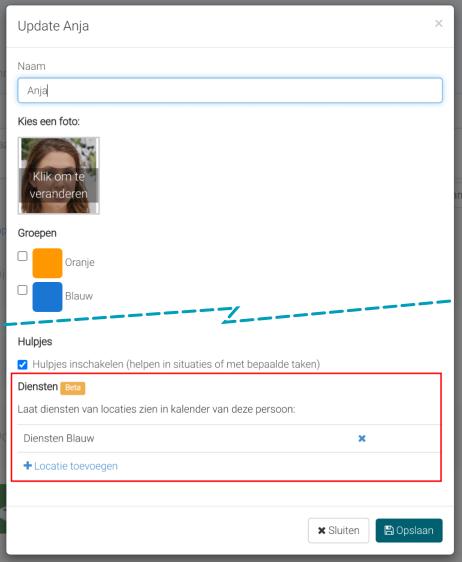
From the online environment, go to individual Enable the display via the customize option on the client’s profile page.
Under the “services” section, you can manage the visibility of the services. Choose the location(s) for which you want to display the services. This is useful, for example, if you have a location with multiple floors, where each floor has its own services.
Refresh the schedule on the phone in the app to make the services visible after setting them up via the top-right menu (Android) or by “pulling down” the activity list (on iPhone).